
Best AI Tools for YouTube Shorts in 2026:
Creating YouTube Shorts used to mean writing a script, recording footage, editing clips, adding captions, finding music, creating a thumbnail, and finally uploading everything yourself.
AI has changed that workflow.
Today, AI tools can help with almost every part of creating a Short. Some can turn a simple idea into a complete video. Others can take a 30-minute podcast or YouTube video and automatically find several short clips. Some specialize in captions, AI voices, avatars, or cinematic AI-generated footage.
But there is an important difference between these tools.
The best AI tool depends on what you are trying to create.
If you want to create a faceless Short from a text prompt, you may need a different tool from someone who already has a 20-minute YouTube video and wants to turn it into five Shorts.
In this guide, we'll look at the best AI tools for YouTube Shorts in 2026 and explain what each tool is actually useful for.
What are YouTube Shorts?
YouTube Shorts are short-form vertical or square videos designed for the Shorts experience on YouTube.
For standard YouTube channels, videos uploaded after October 15, 2024 can be categorized as Shorts when they are square or vertical and up to three minutes long. YouTube currently allows creators to upload Shorts of up to three minutes through YouTube and YouTube Studio.
That gives creators more flexibility than the older one-minute limit.
However, a longer maximum duration doesn't mean every Short should be three minutes. The right length depends on the idea, audience and storytelling.
AI can help reduce the production work, but the concept, hook and value of the Short still matter.
Quick comparison: Best AI tools for YouTube Shorts
Tool | Best for | AI video generation | Long video to Shorts | Captions | AI voice | AI avatars |
|---|---|---|---|---|---|---|
CapCut | Shorts editing | Yes | Limited | Yes | Yes | Yes |
InVideo AI | Creating videos from prompts | Yes | Yes | Yes | Yes | Yes |
OpusClip | Turning long videos into Shorts | — | Yes | Yes | — | — |
Canva | Beginners and visual content | Yes | Yes | Yes | Yes | Yes |
Descript | Text-based editing | Yes | Yes | Yes | Yes | — |
VEED | Browser-based AI video creation | Yes | Yes | Yes | Yes | Yes |
Submagic | Captions and Shorts editing | Yes | Yes | Yes | — | — |
HeyGen | AI presenters and avatars | Yes | — | Yes | Yes | Yes |
Runway | Custom AI-generated footage | Yes | — | — | — | — |
ElevenLabs | AI voiceovers | — | — | — | Yes | — |
The important point is that these tools don't all perform the same job. Some are complete video platforms, while others are specialized tools that work best as part of a larger Shorts workflow.
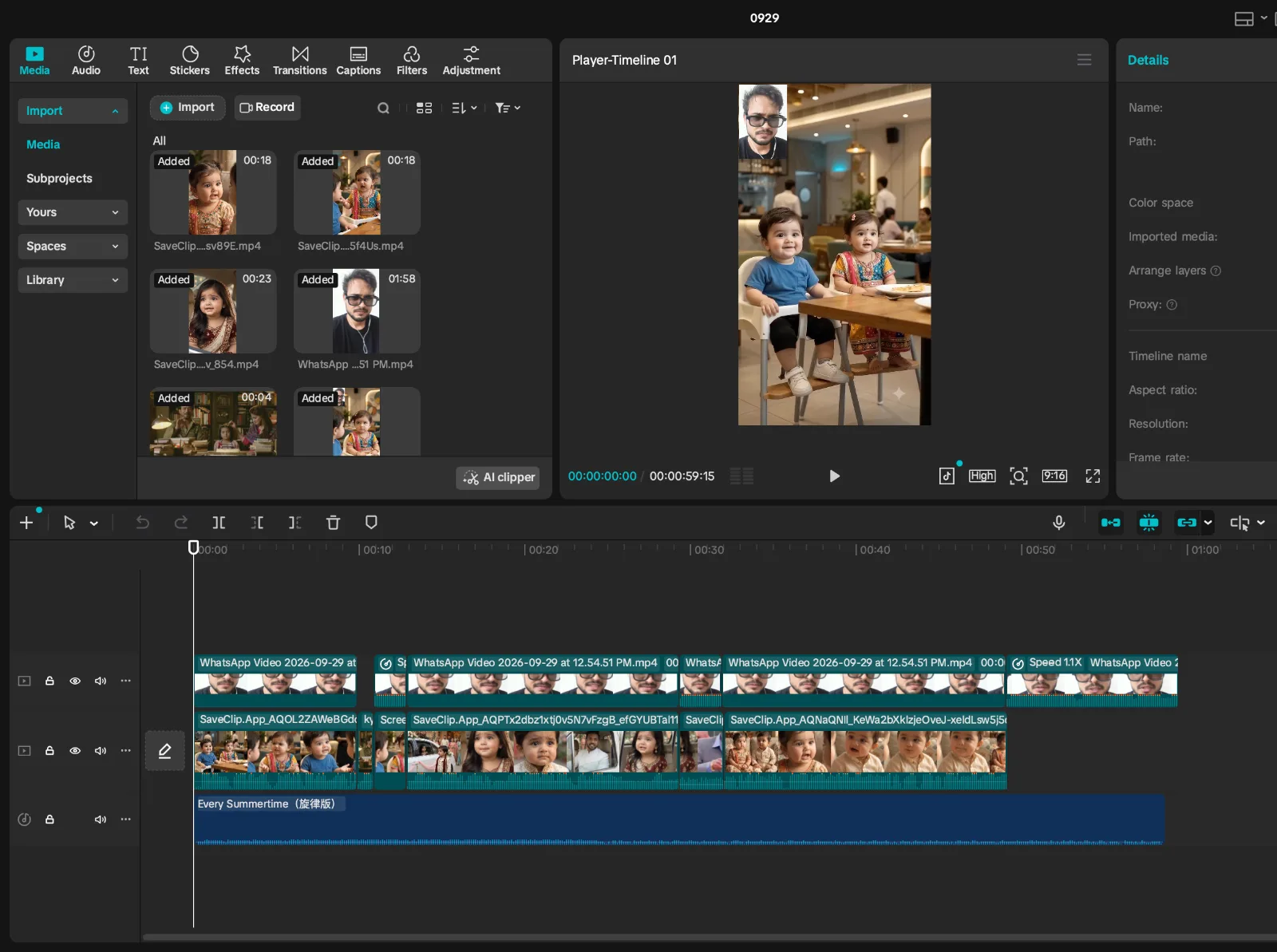
1. CapCut — Best for fast Shorts editing
CapCut has become closely associated with short-form video creation because its workflow is designed around quick editing and social content.
It can be used for cutting clips, adding captions, applying effects, removing backgrounds and creating social videos. Its AI features also cover areas such as auto captions, AI avatars and AI-generated content.
Why use CapCut for YouTube Shorts?
CapCut is particularly useful if you already have the raw footage and want to turn it into a polished Short quickly.
You can use it for:
Automatic captions
Animated text
Background removal
Video effects
Templates
AI-generated content
Audio editing
Vertical video editing
Quick social-media formatting
Best for
Creators who already have footage and want a fast Shorts editing workflow.
CapCut is less about completely replacing the creator and more about making the editing process faster.
2. InVideo AI — Best for creating Shorts from a prompt
InVideo AI takes a different approach.
Instead of starting with raw footage, you can start with an idea or prompt.
Its AI YouTube Shorts workflow can generate elements such as the script, scenes, media, voiceover, subtitles, music and sound effects. You can then modify the generated video rather than building everything manually.
For example, you could start with an idea such as:
"Create a 45-second YouTube Short explaining three AI tools that can save small businesses time."
The platform can turn the concept into a video that you can then review and edit.
Best for
Faceless YouTube channels
Beginners
Marketing videos
Educational Shorts
List-style content
Creators who want an idea-to-video workflow
One thing to remember
AI-generated videos still need human review.
Always check:
Facts
Script quality
Visual relevance
Pronunciation
Copyright/licensing
Repetitive footage
The opening hook
AI can speed up production, but it doesn't automatically create an interesting Short.
3. OpusClip — Best for turning long videos into Shorts
If you already create long-form YouTube videos, podcasts, interviews or webinars, OpusClip solves a different problem.
Instead of generating a video from scratch, it analyzes existing long-form content and identifies clips that can work as short-form videos.
Its current features include AI clipping, animated captions, auto-reframing and tools for publishing short-form content to social platforms.
Imagine you have a 45-minute podcast.
Instead of manually watching the entire video and searching for interesting moments, an AI clipping tool can identify potential highlights.
You can then review the clips and make your own decisions about which ones are worth publishing.
Best for
Podcasters
Interview channels
Coaches
Educators
Businesses
Long-form YouTubers
Best workflow
Long video → AI finds highlights → review clips → edit → captions → publish
This makes OpusClip fundamentally different from tools such as Runway or InVideo AI.
4. Canva — Best for beginners
Canva is well known for graphic design, but it has increasingly become a video creation platform as well.
Its AI Shorts workflow can help creators turn clips into Shorts, generate video content, add design elements and edit the final result. Canva also combines video creation with thumbnails, graphics, presentations and social-media designs.
That makes it particularly useful for creators who don't want to maintain several different design tools.
You can use Canva for:
YouTube Shorts
Thumbnails
Channel graphics
Text overlays
AI-generated visuals
Video templates
Captions
Social-media content
Brand assets
Best for
Beginners who want one platform for video and design.
A creator could potentially use Canva for the Short itself and then use the same platform to create the thumbnail and other channel graphics.
5. Descript — Best for editing video like a document
Descript takes one of the most interesting approaches to video editing.
Instead of primarily editing a timeline, you can work with a transcript.
If you record yourself talking, Descript can transcribe the recording. You can then edit the text, remove unwanted sections and create clips from the recording.
This can be particularly useful for talking-head videos, interviews, podcasts and educational content.
Useful AI capabilities include:
Automatic transcription
AI clips
Filler-word removal
Audio enhancement
Text-based video editing
Captions
Voice tools
Content repurposing
Best for
Creators who talk on camera or record long-form conversations.
For example:
30-minute interview → transcript → remove irrelevant sections → create several Shorts
That workflow can be much faster than manually searching through the timeline.
6. VEED — Best browser-based all-in-one option
VEED is another platform that combines AI generation with traditional video editing.
Its current platform includes AI video generation, AI avatars, text-to-speech, subtitles, background removal and other video-editing features.
That makes it useful when you want to stay inside a browser rather than installing a traditional video editor.
VEED can help with:
AI-generated video
AI avatars
Voiceovers
Automatic subtitles
Video translation
Background removal
Social-media videos
Video editing
Best for
Creators who want an all-in-one browser-based video workflow.
It is also useful for businesses and marketers who need to produce different versions of the same content for multiple platforms.
7. Submagic — Best for captions and Shorts enhancement
Sometimes you don't need AI to create your entire video.
You already have the footage.
What you need is better editing.
That's where a specialized tool such as Submagic can be useful.
Submagic focuses heavily on short-form video editing and currently offers AI auto captions, caption templates, B-roll, AI zooms, audio cleanup, removal of bad takes and other features designed around short-form content.
Best for
Talking-head Shorts
Personal brands
Commentary videos
Social-media creators
Caption-heavy content
Captions are particularly important when viewers watch short-form content without relying entirely on audio.
Best workflow
Record → upload → captions → remove bad takes → add B-roll/zoom → export
8. HeyGen — Best for AI avatar Shorts
Not everyone wants to appear on camera.
HeyGen focuses on AI presenters and avatars, allowing creators to generate videos from scripts without physically recording themselves.
Its current plans include AI avatars, AI voices and voice cloning, with the paid Creator plan supporting longer videos, 1080p exports and a much larger language selection.
Best for
Faceless channels
Educational content
Product explainers
Business videos
International content
Presenter-style videos
A typical workflow looks like:
Write script → choose avatar → choose voice → generate → edit → upload
The main limitation is that an avatar alone doesn't make a compelling Short. The script and first few seconds still need to capture attention.
9. Runway — Best for custom AI-generated visuals
Runway is different from most of the tools on this list.
It is better thought of as an AI visual-generation platform rather than a complete YouTube Shorts production system.
Its current Gen-4.5 supports text-to-video and image-to-video generation. Gen-4.5 supports vertical 9:16 output and generations from 2 to 10 seconds, making it useful for generating individual shots that can be assembled into a Short.
For example, suppose you're making a Short about:
"What would a city look like if AI controlled every building?"
Instead of searching stock footage, you could generate specific visual scenes.
Best for
Cinematic visuals
Storytelling
AI experiments
Science-fiction content
Concept videos
Visual explainers
Important limitation
Runway generates shots, not necessarily a finished three-minute YouTube Short.
You'll usually need another editor to assemble the clips, add narration, captions and music.
10. ElevenLabs — Best for AI voiceovers
A good voice can make a major difference to a faceless Short.
ElevenLabs specializes in AI audio and voice generation rather than being a complete Shorts editor.
Its current platform includes text-to-speech, voice cloning, dubbing and other audio-generation capabilities. Its current pricing page lists a Free plan with 10,000 credits per month, with paid plans starting at $6/month.
Best for
Faceless YouTube channels
Narration
Educational Shorts
Storytelling
Multilingual content
AI presenters
You can create the narration in ElevenLabs and then import the audio into CapCut, Canva, VEED, Premiere Pro or another editor.
Other AI tools worth considering
The ten tools above cover most Shorts workflows, but they aren't the only options.
Pictory
Pictory is particularly useful for turning written content, scripts and longer videos into videos.
Its current platform includes automatic subtitles, video highlights, B-roll, AI voices, script-to-video and content repurposing features.
It's worth considering if your workflow begins with articles, scripts or long-form videos rather than raw short clips.
Adobe Express
Adobe Express is another option for creators who want video editing combined with graphic-design tools.
It can be useful for creators who already use Adobe's ecosystem and want to create social posts, graphics and videos in one place.
How to choose the right AI tool for YouTube Shorts
Instead of asking:
"What is the best AI Shorts tool?"
ask:
"What part of my Shorts workflow takes the most time?"
Your answer will usually point toward the right type of tool.
I want to create a Short from an idea
Look at:
InVideo AI, Canva or VEED
These are useful when your starting point is a topic, script or prompt.
I already have long YouTube videos
Look at:
OpusClip, Descript or Pictory
These are designed around repurposing existing content.
I already recorded the video
Look at:
CapCut, Submagic, VEED or Descript
These tools can help with editing, captions, cleanup and formatting.
I don't want to appear on camera
Look at:
HeyGen, InVideo AI or AI voice tools such as ElevenLabs
These can help create presenter-style or narrated content without traditional filming.
I want cinematic AI scenes
Look at:
Runway
Use an AI video generator for individual visual shots and then assemble them into the finished Short.
I mainly need better captions
Look at:
Submagic or CapCut
If your footage is already good, there's no reason to replace the entire production workflow just to improve captions.
A practical AI workflow for making YouTube Shorts
You don't necessarily need ten AI tools.
In fact, using too many tools can make your workflow slower.
A simple creator workflow could look like this:
Step 1: Find the idea
Start with a specific topic.
For example:
"3 AI tools that can save a small business owner hours every week."
The idea should be more specific than:
"AI tools."
Step 2: Write the hook
The first few seconds matter.
Instead of starting with:
"Today we're going to talk about three AI tools..."
Try something more direct:
"You're probably wasting hours every week doing tasks AI can handle for you."
The exact wording depends on the topic, but the principle is simple: get to the point quickly.
Step 3: Create the script
You can use an AI writing assistant to develop the script.
Keep the language conversational.
A Short doesn't need to sound like a corporate presentation.
Step 4: Generate or record the voice
If you're appearing in the video, record yourself.
If you're creating a faceless Short, you can use an AI voice platform such as ElevenLabs.
Step 5: Create the visuals
Depending on the topic, use:
Your own footage
Screen recordings
Stock footage
AI-generated images
AI-generated video clips
Product screenshots
Charts or graphics
For cinematic AI shots, Runway can generate individual clips from text or image prompts.
Step 6: Edit the Short
Bring the assets together in CapCut, VEED, Canva, Descript or another editor.
Add:
Captions
Cuts
Zooms
B-roll
Music
Sound effects
On-screen text
Step 7: Review everything manually
This step is important.
Before uploading, check:
Facts
Did the AI make up anything?
Voice
Does the pronunciation sound natural?
Visuals
Does every visual actually match what is being said?
Captions
Are names and technical terms spelled correctly?
Copyright
Do you have permission to use the footage, music, images or other copyrighted material?
YouTube specifically warns that externally created Shorts using copyright-protected material can receive Content ID claims or other copyright enforcement.
Can AI completely automate YouTube Shorts?
Technically, many tools can automate a large part of the production process.
But completely automated content isn't necessarily the goal.
A better workflow is:
AI handles repetitive production work + human handles ideas, judgment and quality control.
AI can help generate:
Scripts
Voiceovers
Visuals
Captions
Edits
B-roll
Titles
Descriptions
But humans are still responsible for deciding whether the final video is actually worth watching.
A tool can generate a technically correct video in minutes.
That doesn't mean viewers will care about it.
What about free AI tools?
Many AI video platforms offer free plans or trials, but "free" often comes with restrictions such as:
Limited generations
Monthly credits
Watermarks
Lower export quality
Limited video duration
Fewer AI models
Limited commercial usage
Reduced processing priority
For that reason, don't choose a tool only because it has a free plan.
Instead, test your actual workflow.
For example, create three Shorts using the free version and ask:
How long did it take?
Was the output good enough?
Did I need to edit everything manually?
Were there watermarks?
Did I run out of credits?
Can I use the output commercially?
Then decide whether paying for the tool makes sense.
Do AI-generated YouTube Shorts make money?
AI itself doesn't guarantee monetization.
YouTube's monetization systems are based on YouTube's policies, and creators still need to follow applicable requirements.
AI can reduce production time, but a channel built from repetitive, low-value or poorly edited content may still struggle to build an audience.
Think of AI as a production assistant rather than a replacement for creativity.
A strong Short still needs:
A good idea + strong hook + useful or entertaining content + good pacing + appropriate visuals.
Final thoughts
There isn't one AI tool that is perfect for every YouTube Shorts creator.
The right tool depends on where you are starting.
If you already have footage, a fast editor such as CapCut may make more sense.
If you want to turn a prompt into a video, look at InVideo AI.
If you have hours of long-form footage, OpusClip can help identify short-form clips.
If you want an easy combination of video and design, Canva is worth considering.
For transcript-based editing, Descript is useful.
For browser-based video production, VEED is an option.
For highly caption-focused Shorts, Submagic is worth exploring.
For AI presenters, HeyGen is designed specifically around avatars and AI video.
For custom AI-generated footage, Runway can create individual video shots.
And for AI narration, ElevenLabs is a dedicated voice-generation option.
The biggest advantage of these tools isn't that they allow you to press a button and become a successful YouTuber.
It's that they can remove some of the repetitive production work.
Use that saved time to focus on what AI still struggles to replace: finding interesting ideas, understanding your audience and making videos people actually want to watch.
Frequently asked questions
What is the best AI tool for making YouTube Shorts?
There isn't one tool that fits every workflow. InVideo AI, Canva and VEED are useful for creating videos from ideas or scripts, while CapCut and Submagic are more focused on editing. OpusClip is designed around turning long-form content into short clips.
Can AI create a complete YouTube Short?
Yes. Several AI video platforms can generate a Short from a prompt or script, including video scenes, narration and captions. However, the generated result should be reviewed and edited before publishing.
Can I use AI-generated videos on YouTube?
AI-generated video can be used as part of YouTube content, but creators are responsible for following YouTube's policies and ensuring that the content they use is permitted. You should also check the commercial-use and licensing terms of the AI tool you use.
Can I make YouTube Shorts without showing my face?
Yes. You can create faceless Shorts using AI narration, stock footage, screen recordings, graphics, AI-generated visuals or AI avatars.
Can AI turn a long YouTube video into Shorts?
Yes. Tools such as OpusClip, Descript and Pictory provide workflows for identifying or creating shorter clips from longer content.
How long can a YouTube Short be?
For standard YouTube channels, square or vertical videos uploaded after October 15, 2024 can be classified as Shorts when they are up to three minutes long.
Do I need multiple AI tools to make Shorts?
No. Beginners can start with one all-in-one tool. As your production requirements grow, combining specialized tools for scripting, voice, visuals and editing can provide more control.
Are AI Shorts automatically monetized?
No. Using AI does not automatically make a video eligible for monetization. Creators need to follow YouTube's applicable monetization and content policies.
Last updated: September 2026